Welcome to the definitive guide for medical students ready to conquer board exams using spaced repetition and Anki. If you're here, you already know the sheer volume of information you're facing is staggering. Let's be honest: traditional study methods just don't cut it for long-term retention.
This isn't just another article about a flashcard app. Think of this as your practical roadmap to mastering Anki as a powerful cognitive tool—one that will build a deep, lasting knowledge base for your exams and beyond.
Why Spaced Repetition With Anki Is A Game Changer
We've all been there. You spend hours rereading notes or highlighting textbooks, and it feels productive. You start to recognize concepts, but can you actually recall them cold, under pressure, in the middle of a brutal exam block? That's the illusion of knowledge.
This is where spaced repetition, powered by software like Anki, fundamentally changes the game. It forces you out of passive recognition and into a cycle of active recall, a process that strengthens the neural pathways you need for durable memory.
Instead of cramming, the system is designed to show you information right before you're about to forget it. It's an evidence-based approach that makes your study time incredibly efficient, turning passive review into a targeted workout for your brain. This is a system built on cognitive science, not just willpower.
From Niche Tool to Essential Kit
Anki's adoption among medical students has absolutely exploded. Recent data suggests that around 70% of students are now using it early in their medical careers, a huge jump from just a few years ago. The results speak for themselves. One study on surgical residents, for instance, reported a 92% pass rate using an Anki deck, which blows the national average of roughly 67% out of the water.
This screenshot shows one of Anki's most practical features for a busy med student: its cross-platform availability.
Having access on your desktop, phone, and tablet means you can knock out reviews whenever you have a spare moment—between classes, on the bus, or waiting in line for coffee. Every minute counts.
Spaced repetition doesn’t just help you memorize facts; it builds a deeply integrated knowledge base that allows you to make connections between concepts. This is the crucial skill you need for clinical reasoning and crushing your board exams.
While Anki is a powerful tool for building this foundation, remember to integrate it with solid test-taking strategies. For example, learning how to ace your ACLS exam with effective study tips can give you an extra edge that complements your spaced repetition workflow perfectly.
Configuring Anki Settings For Medical School Success
Jumping into Anki without tweaking the settings is a classic rookie mistake. It’s like trying to run a marathon in shoes that are two sizes too small—you might make it a few miles, but you're setting yourself up for a world of pain. The default Anki settings are built for learning a language, not for conquering the mountain of information that is a medical curriculum. Getting the algorithm right from day one is the single most important step to making spaced repetition with Anki a sustainable, powerful tool for your board prep.
Think of these settings as the control panel for your memory. By adjusting a few key numbers, you're telling the Anki algorithm how aggressively to schedule new facts and how to handle the concepts you inevitably forget. This is your best defense against the dreaded "review avalanche," where your daily card count balloons to an impossible number. That's the number one reason students give up on Anki.
The real goal here is to strike a perfect balance: you want to lock in knowledge for the long term without creating a daily chore that burns you out. A smart setup shows you tough concepts more often at the start and pushes the easy stuff further into the future, freeing up precious mental energy for question banks and actual problem-solving.
The data backs this up. Anki isn't just a niche tool; it's a core part of modern medical education, and for good reason.
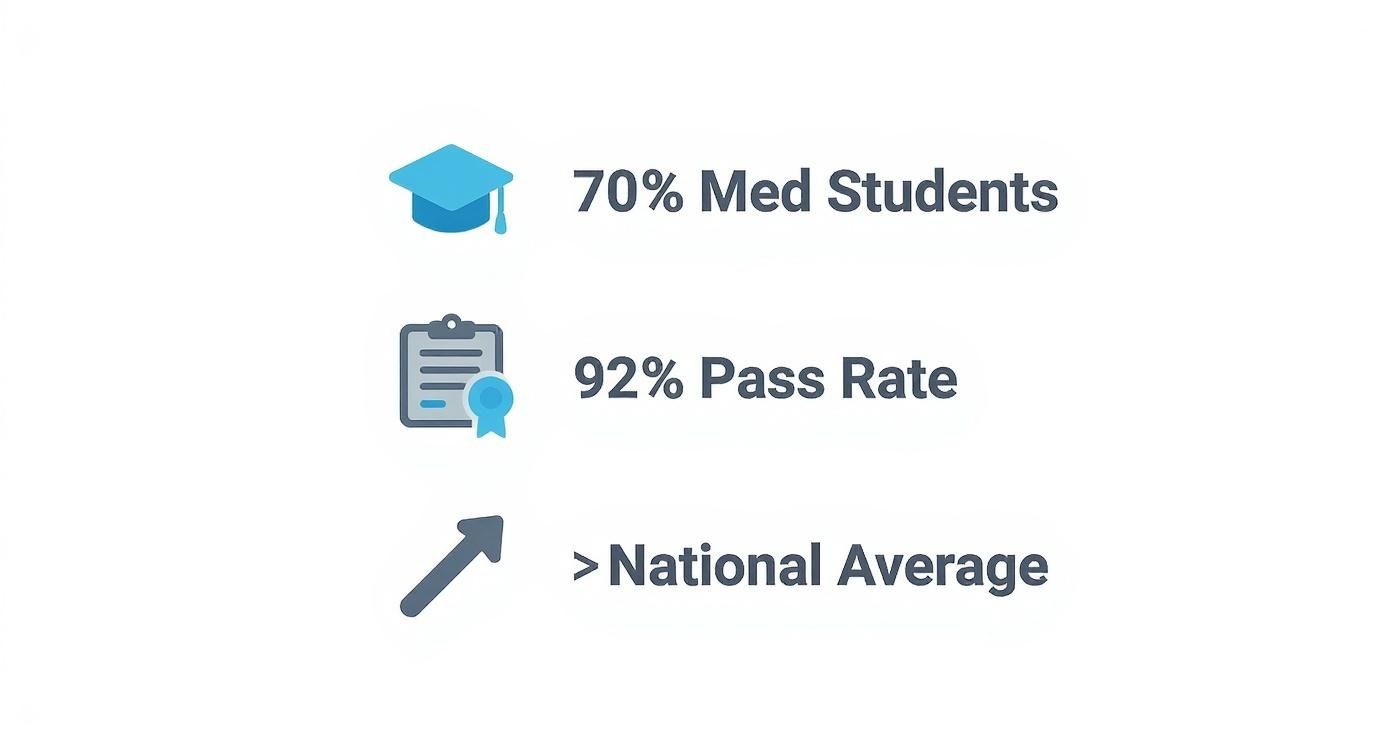
These numbers show just how widespread Anki is and how well it correlates with success. That makes getting your initial setup right even more critical.
The Best Anki Deck Settings for Med School
Let's cut to the chase. The default settings aren't your friend. Here’s a side-by-side look at what Anki starts with versus what you actually need for the long haul of medical school.
Recommended Anki Deck Settings for Medical Students
| Setting | Anki Default Value | Recommended Med School Value | Reason for Change |
|---|---|---|---|
| New Cards: Steps (minutes) | 1 10 | 25 1440 | Forces a more robust initial learning phase. The 25-minute step tests short-term recall, while the 1440-minute (24-hour) step ensures the memory survives a night of sleep before graduating. |
| New Cards: Graduating Interval | 1 day | 3-4 days | Gives you a meaningful gap after first learning a card. This tests your recall more effectively than seeing it again the very next day, strengthening the memory trace. |
| Reviews: Easy Bonus | 130% | 150% | Pushes cards you genuinely find easy further into the future. This helps declutter your daily review queue so you can focus on more difficult material. |
| Lapses: New Interval | 0% | 20-30% | Prevents "ease hell." Instead of completely resetting a forgotten card's progress, it reduces the interval by a percentage, acknowledging that the memory isn't totally gone. This is far more efficient. |
These tweaks might seem small, but over thousands of cards and months of studying, they make a monumental difference in your daily workload and long-term retention.
Mastering New Card Settings
Every new fact you learn starts its journey in the "New Cards" options tab. This is where you dictate how Anki introduces information before it even hits the main scheduling algorithm.
The most important setting here is Steps (in minutes). The default is usually "1 10," which is way too short for complex medical topics. We recommend changing this to "25 1440".
- The "25" means if you hit "Good" on a brand new card, you'll see it again in 25 minutes. It’s a solid first test of your short-term memory.
- The "1440" means after you get it right that second time, the card "graduates" and you'll see it the next day. This is crucial because it forces you to recall the information after a full night's sleep, a key part of memory consolidation.
Next up is the Graduating interval. This sets the first real interval after a card graduates. Setting this to 3-4 days is a great starting point. It creates a real test of your memory without being so long that you're likely to forget the fact completely.
Optimizing Reviews and Lapses
Once a card graduates, the "Reviews" tab takes over. The most useful setting here is the Easy bonus. While the default 130% is fine, bumping it to 150% helps you clear out the low-hanging fruit. When you mark a card as "Easy," this multiplier pushes it much further into the future, cleaning up your daily queue.
But what happens when you forget something you used to know? That's a "lapse," and how you handle it is critical for long-term efficiency. Under the "Lapses" tab, find the New interval setting.
This is a big one. A common mistake is leaving the "New interval" at 0%, which completely resets the card's progress as if you've never seen it before. A much smarter approach is to set it to 20-30%. If you forget a card that had a 100-day interval, it will come back in 20-30 days—not from scratch. This respects the fact that you haven't totally lost the memory.
This approach isn't just theory; it's backed by real-world performance data. One study found that medical students who used Anki consistently scored significantly higher on the CBSE, a practice exam that closely mirrors the USMLE Step 1. You can learn more about how spaced repetition impacts retention and exam scores. It’s clear proof that a well-managed Anki system delivers results where it counts.
Creating High-Yield Anki Cards That Actually Stick
Anki is a powerhouse, but it's only as good as the flashcards you feed it. Once you’ve dialed in your settings, the single biggest factor in your success with spaced repetition anki is the quality of your cards. Creating cluttered, low-quality cards is a fast track to burnout. It turns your daily reviews from a sharp, efficient tool into a frustrating, time-sucking chore.

The real art of card creation boils down to two golden rules. First, keep it atomic—each card should test just one, single piece of information. Second, every card must force active recall, making your brain pull the answer from memory instead of just passively recognizing it. Nail these two, and your daily sessions will become faster and exponentially more effective.
The Anatomy of a High-Yield Card
So what does a "bad" Anki card look like? Think of a lazy, open-ended question like, "Tell me everything about Cushing's syndrome." The back of that card might list causes, symptoms, diagnostic tests, and treatments all in one massive text block.
While it seems comprehensive, this card is a review nightmare because it completely ignores atomicity.
You'll constantly find yourself remembering a few points but forgetting others. This leads to that frustrating cycle where you're forced to hit "Again" on a card that you actually know 80% of. It slows you down and poisons the learning algorithm.
A high-yield approach smashes that monster card into several targeted, laser-focused ones:
- One card asks for the most common cause of Cushing's syndrome.
- Another uses an image and asks you to identify a classic physical exam finding.
- A third card asks for the first-line diagnostic test.
Each card is quick, focused, and gives Anki clean, specific feedback about one tiny knowledge gap. This is the bedrock of effective learning.
The core principle is simple but powerful: If a card takes you more than a few seconds to answer, it’s probably too complex. Break it down until each question is rapid-fire.
This isn’t just a stylistic choice; it’s about aligning your study habits with how memory actually works. For a deeper look, check out our guide on the best memorization techniques for medical school, which goes hand-in-hand with these strategies.
Choosing the Right Card Type for Medical Content
Anki has several card formats, but for med students, two are absolute game-changers for creating high-yield content fast. Mastering them will totally transform your study efficiency.
1. Cloze Deletions for Pathways and Facts
The Cloze deletion format is your best friend for memorizing facts, pathways, and lists. Instead of a standard front/back card, you take a full sentence and just hide the most important term.
- Poor Card (Basic): What is the mechanism of action of metformin?
- High-Yield Card (Cloze): Metformin works primarily by decreasing {{c1::hepatic gluconeogenesis}} and increasing insulin sensitivity.
This format is way faster to create and, more importantly, forces you to recall information in its proper context. It's an absolute must for pharmacology, physiology, and pathology.
2. Image Occlusion for Anatomy and Histology
For anything visual—anatomy, histology, radiology—the Image Occlusion Enhanced add-on is indispensable. It lets you take any image, draw boxes over the labels you want to learn, and then automatically generates cards that ask you to identify each hidden structure.
Think about a diagram of the brachial plexus. Instead of manually creating a dozen cards, you can just occlude every label in a few seconds and generate a whole set of targeted flashcards. It's a massive time-saver.
From Bad to Better: A Practical Example
Let's see this in action. We'll take a poorly designed card and transform it into a set of high-yield ones.
The Bad Card:
- Front: Describe Acute Respiratory Distress Syndrome (ARDS).
- Back: A diffuse alveolar injury causing inflammatory lung injury. Characterized by bilateral opacities on chest X-ray not explained by heart failure. The PaO2/FiO2 ratio is <300 mmHg.
This card is just too broad. It's testing three separate concepts at once, making it impossible to review efficiently.
The High-Yield Transformation:
Using the principles we've covered, we can create three distinct, atomic cards from that one clunker.
- Card 1 (Cloze): *ARDS is characterized by bilateral opacities on CXR that are {{c1::not fully explained by cardiac failure}}.*
- Card 2 (Cloze): *The diagnostic criteria for ARDS includes a PaO2/FiO2 ratio of {{c1::<300 mmHg}}.*
- Card 3 (Image Occlusion): An image of a chest X-ray showing diffuse bilateral opacities, with a card asking for the most likely diagnosis.
This level of detail pays off big time. Research shows that heavy Anki users report far better knowledge retention. In one study, 39% of high users needed to relearn less than a quarter of Step 1 material, compared to just 7% of low users. The mean Step 1 score for Anki users was also significantly higher. You can dig into these findings on the National Library of Medicine's website. By creating better cards, you align your daily effort with proven results.
Building A Sustainable Daily Anki Workflow
Let's be honest: succeeding with Anki isn't about heroic, all-night cram sessions. It's about consistency. The real mountain to climb isn't learning the material itself, but building a daily habit that sticks, even when you're exhausted from a long day on the wards.
Your goal should be to make Anki as automatic as brushing your teeth. It’s a non-negotiable part of your day that shifts your study from passive reading into a state of continuous, active review.
This is where the spaced repetition algorithm truly works its magic. Every single review you complete strengthens those neural pathways, making sure that when exam day rolls around, the information is right there when you need it.
Morning Reviews Versus Evening Reviews
One of the first things you'll have to figure out is when to knock out your reviews. You'll find strong advocates for both morning and evening sessions, and the right answer really just depends on your personal energy levels and daily schedule.
- Morning Reviews: Getting your Anki queue done first thing in the morning is a huge win. You tackle the most demanding task of the day before decision fatigue sets in, and it won't hang over your head during lectures or clinicals.
- Evening Reviews: Other students swear by doing their reviews at night. This workflow lets them create new cards from material they learned just hours before, reinforcing it right before sleep—a critical window for memory consolidation.
The only way to know is to try both. The "best" time is simply the one you can stick with consistently. Since you'll be spending a lot of time in front of a screen, it's worth looking into glasses for computer eye strain to keep your eyes healthy and comfortable.
If you take one thing away from this section, let it be this: never miss a day. Even on your most brutal days, try to get through your reviews. Doing a few cards is infinitely better than doing none at all.
Integrating Anki With Your Other Resources
Anki is powerful, but it shouldn't be an island. It becomes an absolute beast when you connect it directly with your primary study tools, especially question banks like UWorld. This creates a feedback loop that actively turns your weaknesses into your biggest strengths.
Here's how that workflow looks in practice:
- Do a UWorld Block: Go through your questions just like you normally would.
- Analyze Your Incorrects: For every single question you miss, pinpoint the exact knowledge gap. Was it a specific lab value you forgot? A concept you completely misunderstood?
- Make a Targeted Anki Card: Right then and there, create one high-yield, atomic card (Cloze or Image Occlusion is perfect for this) that tests that single piece of information.
- Tag Everything: Tag that new card with the source and the topic (e.g.,
#UWorld,#Cardiology).
Following this process ensures you rarely make the same mistake twice. Your Anki deck slowly transforms into a personalized error log, forcing you to constantly revisit the exact concepts that trip you up. This kind of integration is a cornerstone of any solid study schedule for medical students.
Mastering Filtered Decks For Shelf Exams
As you get close to a shelf exam, you need a way to pivot from general review to a highly focused, last-minute sprint. This is exactly what Anki's "Filtered Deck" feature was made for. It lets you pull cards with specific tags into a temporary deck for a few days of high-intensity review.
Let's say your surgery shelf is three days away. You can create a filtered deck that pulls every card you've ever made tagged with #Surgery and #UWorld. Suddenly, you have a custom deck that lets you rapidly fire through every single surgery-related fact you've ever missed on a practice question.
This strategy turns your massive, years-long Anki collection into a precision-guided tool for absolutely dominating your exams.
Supercharging Your Workflow With Essential Anki Add-Ons
The stock version of Anki is a fantastic starting point for spaced repetition, but let's be honest—it's not built specifically for the unique grind of medical school. That's where add-ons come in. Think of the base program as a powerful engine; add-ons are the custom upgrades that turbocharge it for medicine, saving you time and adding critical functionality you'll soon wonder how you lived without.
Installing them is ridiculously easy. Just head to Tools > Add-ons > Get Add-ons from the Anki desktop app and paste in the unique code for each tool. It takes seconds, but the payoff in reduced frustration and smoother studying is massive.
The Non-Negotiable Add-Ons for Med Students
Before you get lost in the endless options, let's focus on the handful of add-ons that med students universally swear by. These aren't just for looks; they solve real bottlenecks you'll face every single day.
- Image Occlusion Enhanced: This is an absolute game-changer for anatomy, histology, and radiology. It lets you take any diagram, pathology slide, or imaging study, draw boxes over the labels, and instantly create flashcards that test you on each hidden part. This one tool alone will save you hundreds of hours of mind-numbing card creation.
- Review Heatmap: Consistency is everything with spaced repetition with Anki. This add-on gives you a simple visual calendar that tracks your daily review streak, turning your study habit into a game you won't want to lose. Seeing that unbroken chain of colored squares is a surprisingly powerful motivator to keep you from skipping a day.
- Button Colours Good Again: It sounds minor, but this simple tweak makes a big difference. This add-on turns the "Good" button green, reinforcing the positive feedback loop every time you correctly recall a fact. It’s a small psychological nudge that makes the review process feel more intuitive and less of a chore.
Installing the right add-ons is what turns Anki from a generic flashcard app into a personalized, high-efficiency learning machine. It’s the single best way to mold the software to the visual and conceptual demands of medicine.
Essential Tools for Organization and Efficiency
Once you've got the basics down, a few more tools will help you manage the tens of thousands of cards you'll inevitably accumulate. When your deck gets that big, being able to find, organize, and tweak your cards quickly becomes essential.
I've put together a quick table of my top 5 must-have add-ons that solve the most common frustrations medical students face. These are the tools that move you from simply using Anki to truly mastering it for board prep.
Top 5 Anki Add-ons for Medical Students
| Add-on Name | Primary Function | Why It's Essential for Med Students |
|---|---|---|
| Image Occlusion Enhanced | Creates "hide-the-label" cards from images | Saves hundreds of hours creating anatomy, histology, and radiology cards. A non-negotiable time-saver. |
| Review Heatmap | Visually tracks daily review streaks | Gamifies consistency, providing a powerful psychological motivator to prevent you from skipping review days. |
| Advanced Browser | Upgrades the card browser with better sorting/filtering | Lets you quickly find and manage cards based on specific criteria (e.g., "all incorrect UWorld cards for cardiology"). |
| Pop-up Dictionary | Shows definitions for selected text within Anki | Prevents you from breaking your review flow by having to switch to a web browser to look up a forgotten term. |
| Button Colours Good Again | Color-codes the review buttons | Makes the user interface more intuitive and reinforces correct answers with a simple visual cue (green for "Good"). |
Each of these add-ons tackles a specific pain point in the med school study process, from tedious card creation to maintaining focus during long review sessions. Installing them is one of the highest-yield things you can do to optimize your workflow.
Digging Deeper into the Power-User Tools
The Advanced Browser is a huge upgrade over Anki's default card browser. It adds more columns and sorting options, making it infinitely easier to find, edit, or suspend specific groups of cards. For instance, you could instantly filter for all cards tagged #UWorld_Incorrect that you haven't seen in over a month, letting you do a highly targeted review session right before an exam.
Another fantastic tool is the Pop-up Dictionary. You're bound to come across a term during reviews that you've half-forgotten. Instead of derailing your focus by opening a new browser tab, this add-on shows you definitions and context right inside Anki. It keeps your sessions snappy and reinforces knowledge without ever breaking your flow.
Advanced Anki Strategies For Boards And Shelf Exams
Once you’ve nailed the daily Anki habit, it’s time to level up. During your dedicated study period for boards or shelf exams, your relationship with spaced repetition has to evolve. You're shifting from a passive learner trying to absorb everything into a strategic test-taker hunting down your weaknesses.
The new goal isn't just learning; it's mastering your weak spots with surgical precision. This advanced approach is all about "maturing" your Anki deck. A mature card is one you know so well that its review interval is weeks or even months away. Your mission during dedicated is to get the vast majority of your cards into this mature state. This frees up your precious daily review time to hammer away only at the high-yield, difficult concepts that are still tripping you up.
Syncing Anki With Your Question Bank Performance
Your question bank—especially UWorld—is your ultimate diagnostic tool. It tells you exactly where your knowledge gaps are. The single most powerful way to use Anki during this period is to create a direct feedback loop from your QBank performance, turning every mistake into a future strength.
The core of this strategy lies in mastering the suspend and unsuspend functions in Anki. Most students use a massive pre-made deck like AnKing, which can have over 30,000 cards. Trying to review all of those daily is not just impossible; it’s a colossal waste of time. The smart move is to keep most of the deck suspended by default.
Here’s how that workflow looks in practice:
- Start with everything suspended. Seriously. Don't unleash thousands of cards on yourself from day one.
- Unsuspend thematically. As you start a block, like Cardiology, go into the Anki browser and find all the cards with that tag. Unsuspend just those.
- Refine based on UWorld. This is the critical step. Every time you get a UWorld question wrong, your job is to find the specific Anki card(s) that cover that concept and immediately unsuspend them.
This approach keeps your daily review count manageable and laser-focused. You stop wasting time on things you already learned in your coursework. Instead, you're exclusively targeting information that you have proven you don't know under exam-like conditions.
By the heart of your dedicated period, your daily Anki reviews should feel like a personalized error log. Every single card that pops up is a direct reminder of a point you previously missed, forcing you to confront and solidify your weak areas over and over again.
Managing Your Deck During The Final Weeks
As you get closer to your exam date, the strategy needs to shift one more time. In the final one or two weeks, you simply don't have time to learn new material. The entire focus should be on reviewing what you've already flagged as important, especially the concepts that have given you the most trouble.
At this point, stop unsuspending new cards from your QBank misses. Just focus on clearing your daily review queue. A great tactic here is to create filtered decks for your "leech" cards—those pesky cards you consistently get wrong. Hitting these with some last-minute, high-intensity review ensures that on test day, the concepts you’ve struggled with the most are the freshest in your mind.
This dynamic approach—suspending, unsuspending, and filtering—transforms Anki from a simple memorization tool into a sophisticated weapon for exam domination. It’s how you move beyond just remembering facts and start strategically destroying your knowledge gaps.
Common Questions About Spaced Repetition with Anki
Even when you have a solid strategy, a tool as powerful as Anki can still throw some curveballs. Let's tackle some of the most common sticking points and questions that come up when med students really start digging into spaced repetition. Getting these sorted out can be the difference between a smooth workflow and a frustrating one.
What Happens If I Fall Behind?
This is probably the biggest source of anxiety for Anki users. You miss a day, maybe a long weekend, and suddenly you’re staring at a mountain of 700 overdue cards. The immediate reaction is panic, but the key is not to give up.
Anki doesn’t punish you; it just piles up the reviews you missed. The worst thing you can do is try to clear the entire backlog in one marathon session—that's a direct flight to burnout city. Instead, just chip away at it. Set a temporary cap on your daily reviews (you can do this in the deck settings) and work through the backlog over a few days. You'll get caught up without overwhelming your brain.
Should I Use Pre-Made Decks or Make My Own Cards?
For a massive, standardized exam like the USMLE Step 1, trying to make all your own cards from scratch is wildly inefficient. A high-quality, comprehensive pre-made deck like AnKing is your best bet for building that foundational knowledge. It’s been vetted by thousands of students before you.
However, that doesn't mean you should never make your own cards. When you're grinding through a question bank and identify a specific weak spot or a concept you consistently miss, creating your own targeted cards is far more effective. For most students, a hybrid approach works best: use a pre-made deck for the bulk of the material and supplement it with your own cards for personal weak points.
Don't fall into "ease hell!" When you forget a card, Anki’s default setting can be brutal, completely resetting its learning interval. To fix this, go into your Deck Options and change the 'New interval' setting under the Lapses tab to somewhere between 20-30%. This tells Anki that you haven't totally forgotten the concept, preventing your "Ease" score from plummeting.
Should I Do My New Cards or Reviews First?
This is a classic debate, and honestly, there's no single right answer. It comes down to your personal energy levels, your schedule, and what feels right for you.
Reviews First: A lot of students swear by this method. They knock out their reviews first thing in the morning when their mind is fresh. This ensures you're reinforcing existing knowledge before tackling anything new, making it the most critical task of the day.
New Cards First: On the other hand, some people prefer learning new material right away, especially if it's tied to a lecture they just watched or a topic they just studied. Doing new cards first allows them to immediately create and test connections with fresh concepts.
The best advice is to experiment. Try each method for a week and see what clicks. Ultimately, the most important thing is that you complete both your reviews and your new cards every single day. That relentless consistency is what makes spaced repetition with Anki such a game-changer for long-term memory.
At Ace Med Boards, we specialize in turning these powerful strategies into real results. If you need personalized guidance to optimize your study plan and master high-stakes exams, our expert tutors are here to help. Schedule your free consultation today.

